


Introduction
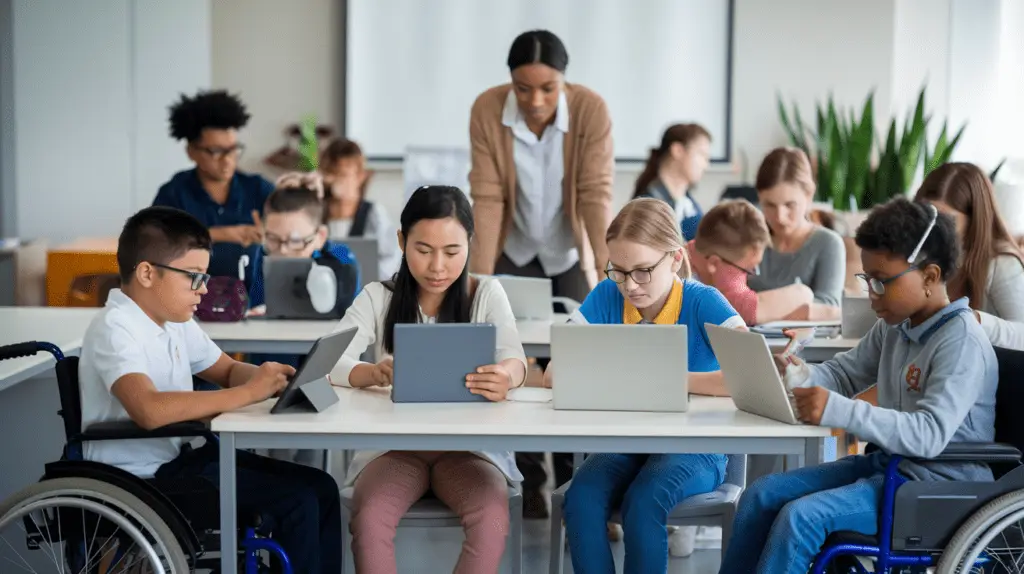
Classroom communication has changed significantly in recent years as digital collaboration tools reshape how teachers and students interact. Traditional classroom exchanges once relied primarily on face to face discussion, printed assignments, and handwritten feedback. Today, communication extends beyond classroom walls through cloud platforms, messaging systems, shared workspaces, and interactive learning environments.
Digital collaboration tools are not simply technological additions to education. They represent a shift toward more connected, responsive, and inclusive learning experiences. These tools allow students to participate actively, receive immediate feedback, collaborate across locations, and engage with course content in more meaningful ways.
As schools continue integrating technology into daily instruction, digital collaboration tools are becoming essential components of effective classroom communication strategies.
Understanding Digital Collaboration Tools in Education
Digital collaboration tools refer to platforms and applications that allow students and teachers to communicate, share resources, and work together in real time or asynchronously. These tools support structured instruction while encouraging participation beyond traditional classroom interaction patterns.
Examples include:
- Learning management systems
- Shared document platforms
- Virtual discussion boards
- Video conferencing applications
- Interactive whiteboards
- Classroom messaging platforms
Together, these tools create a connected communication environment that strengthens relationships between teachers and learners.
Expanding Communication Beyond Physical Classrooms
One of the most important benefits of digital collaboration tools is their ability to extend communication outside scheduled class time. Students can access materials, ask questions, and participate in discussions whenever needed.
Extended communication opportunities support:
- Homework clarification after school hours
- Ongoing project collaboration
- Peer feedback exchanges
- Teacher guidance between lessons
- Flexible participation for diverse schedules
This continuous interaction strengthens learning continuity and supports students who require additional time or assistance.
Supporting Real Time Interaction During Lessons
Real time communication tools allow teachers to adjust instruction instantly based on student responses. Interactive polling systems, shared digital boards, and live chat features encourage participation from students who may hesitate to speak during traditional classroom discussions.
Real time interaction improves communication by:
- Increasing student participation
- Encouraging immediate clarification of concepts
- Supporting quick feedback cycles
- Identifying misunderstandings early
- Promoting inclusive engagement across learning styles
Students benefit from a more responsive learning environment where communication happens continuously rather than occasionally.
Encouraging Student Collaboration on Academic Projects
Digital collaboration platforms allow students to work together regardless of physical location. Shared documents, group workspaces, and project management tools help learners coordinate tasks efficiently.
Collaborative communication supports:
- Joint research assignments
- Peer editing exercises
- Group presentations
- Cross classroom partnerships
- Interdisciplinary learning projects
These experiences help students develop communication skills that reflect real world teamwork expectations.
Improving Teacher Feedback Efficiency
Providing meaningful feedback is essential to student growth. Digital collaboration tools make feedback more immediate, accessible, and detailed.
Teachers can:
- Comment directly on assignments
- Record voice feedback
- Share annotated resources
- Track revision progress
- Monitor student participation patterns
Faster feedback cycles improve understanding and help students adjust learning strategies more effectively.
Strengthening Communication Between Teachers and Students
Digital platforms create additional communication channels that support stronger relationships between educators and learners. Students feel more comfortable asking questions through structured digital systems when they are unsure about classroom expectations.
Benefits include:
- Increased accessibility to instructors
- Greater student confidence in asking questions
- Clear documentation of instructions
- Improved assignment tracking
- Stronger academic support systems
These communication improvements contribute to a more supportive classroom environment.
Supporting Inclusive Participation Across Learning Styles
Every student communicates differently. Some learners thrive in verbal discussions, while others express ideas more clearly through written responses or visual collaboration tools.
Digital collaboration tools support diverse participation by allowing students to:
- Contribute through written discussions
- Share multimedia responses
- Participate anonymously in polls
- Collaborate visually on shared boards
- Engage asynchronously when needed
This flexibility encourages broader classroom participation and supports equitable communication opportunities.
Enhancing Peer to Peer Learning Opportunities
Peer interaction plays a critical role in academic development. Digital collaboration platforms allow students to exchange ideas more frequently and more effectively than traditional classroom structures alone.
Peer communication supports:
- Knowledge sharing
- Group problem solving
- Constructive feedback exchanges
- Collaborative brainstorming
- Academic confidence building
When students communicate with each other regularly, learning becomes more active and engaging.
Supporting Remote and Hybrid Learning Environments
Digital collaboration tools became especially important as remote and hybrid learning models expanded. Even as schools return to traditional classroom formats, these tools remain valuable communication resources.
They help maintain:
- Lesson continuity during absences
- Access to recorded materials
- Communication during schedule disruptions
- Participation across locations
- Consistent instructional support
Hybrid communication systems ensure learning remains uninterrupted regardless of physical classroom availability.
Improving Classroom Organization and Communication Clarity
Clear communication helps students manage responsibilities effectively. Digital collaboration platforms organize assignments, announcements, and resources in structured formats that reduce confusion.
Organizational benefits include:
- Centralized assignment instructions
- Shared calendars for deadlines
- Structured lesson updates
- Accessible course materials
- Transparent grading communication
Improved organization strengthens accountability and supports academic independence.
Encouraging Student Voice in Classroom Communication
Digital platforms create opportunities for students to share opinions and perspectives more comfortably. Discussion forums and collaborative documents allow thoughtful responses that may not emerge during live classroom conversations.
Encouraging student voice supports:
- Confidence development
- Critical thinking skills
- Perspective sharing
- Reflective learning
- Increased classroom engagement
When students feel heard, communication becomes more meaningful and productive.
Supporting Teacher Collaboration Across Departments
Digital collaboration tools also strengthen communication among educators. Teachers can coordinate instruction strategies, share resources, and align learning objectives across departments more efficiently.
Teacher collaboration improves:
- Curriculum consistency
- Instructional planning efficiency
- Student support coordination
- Assessment alignment
- Professional learning opportunities
Stronger educator communication leads to more cohesive classroom experiences for students.
Promoting Digital Literacy Through Communication Tools
Using collaboration platforms regularly helps students develop essential digital communication skills. These skills are increasingly important for academic success and future careers.
Students gain experience with:
- Professional communication practices
- Online collaboration etiquette
- Digital document management
- Virtual presentation techniques
- Responsible technology use
These competencies prepare learners for modern workplace expectations.
Supporting Data Informed Communication Strategies
Many collaboration platforms provide insights into student participation patterns. Teachers can use this information to adjust communication strategies and support students more effectively.
Analytics tools help educators identify:
- Participation frequency
- Assignment completion trends
- Engagement levels
- Communication gaps
- Areas requiring additional support
These insights strengthen instructional decision making.
Strengthening Parent Teacher Communication Channels
Digital collaboration tools also improve communication between schools and families. Parents can access updates, assignments, and progress reports more easily than through traditional communication methods alone.
Improved parent communication supports:
- Greater awareness of student progress
- Timely responses to concerns
- Clear expectations for assignments
- Stronger home learning support
- Increased family involvement in education
When families remain informed, students benefit from consistent encouragement across environments.
Addressing Challenges in Digital Classroom Communication
Although digital collaboration tools offer many advantages, successful implementation requires thoughtful planning. Schools must ensure platforms remain accessible, secure, and easy to use.
Common considerations include:
- Ensuring equitable technology access
- Providing teacher training opportunities
- Maintaining student privacy protections
- Managing screen time responsibly
- Supporting technical troubleshooting needs
Addressing these challenges helps maximize communication effectiveness.
Future Trends in Classroom Collaboration Technology
Digital collaboration tools continue evolving as educational technology advances. Emerging platforms are introducing new features that support more personalized communication experiences.
Future developments may include:
- Adaptive communication interfaces
- Real time language translation support
- Virtual learning environments
- Artificial intelligence assisted feedback systems
- Enhanced accessibility tools for diverse learners
These innovations will continue shaping how classrooms communicate and collaborate.
Conclusion
Digital collaboration tools are transforming classroom communication by expanding interaction opportunities, supporting inclusive participation, improving feedback systems, and strengthening relationships between students, teachers, and families. These tools create flexible communication environments that extend learning beyond traditional classroom structures while preparing students for technology rich academic and professional experiences. As schools continue integrating digital platforms into instruction, communication will remain one of the most important areas influenced by educational technology innovation.
Frequently Asked Questions
1. How do digital collaboration tools affect student motivation in classroom communication
Digital tools often increase motivation by allowing students to participate in multiple ways, including written discussion, multimedia responses, and interactive activities that support engagement.
2. Can digital collaboration tools help reduce classroom communication barriers for shy students
Yes. Many students feel more comfortable expressing ideas through digital discussion platforms than speaking in large group classroom settings.
3. How do schools choose the right collaboration platform for classroom communication
Schools typically evaluate ease of use, security features, compatibility with existing systems, accessibility options, and support services before selecting platforms.
4. Are digital collaboration tools appropriate for elementary level classrooms
Yes. Age appropriate collaboration platforms support communication through structured activities, visual interaction tools, and teacher guided participation.
5. How can teachers balance digital collaboration with face to face communication
Teachers can integrate digital tools alongside classroom discussion rather than replacing in person interaction, creating a blended communication environment.
6. Do collaboration platforms support communication for students with learning differences
Many platforms include accessibility features such as text to speech tools, captioning support, and visual collaboration options that assist diverse learners.
7. What training helps teachers use digital collaboration tools more effectively
Professional development programs focusing on instructional technology integration, digital communication strategies, and classroom management techniques support successful platform use.
